
Live TV - TV Shows & Movies
Imgori LLCVideo Players & Editors
4.39.00 Reviews
- Version
- 2.0
- Installs
- 500.00K
- Age Rating
- Everyone
Screenshots

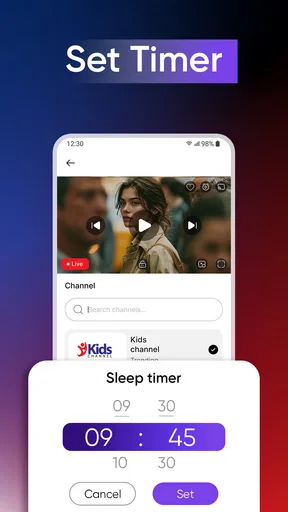
Our Review of Live TV - TV Shows & Movies
 Analysis by Appyee
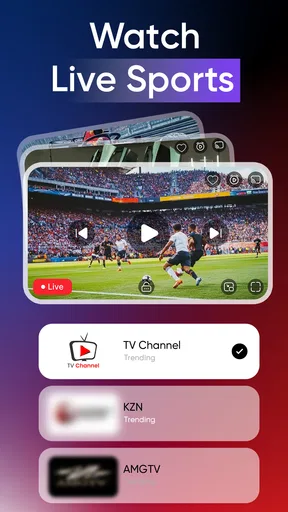
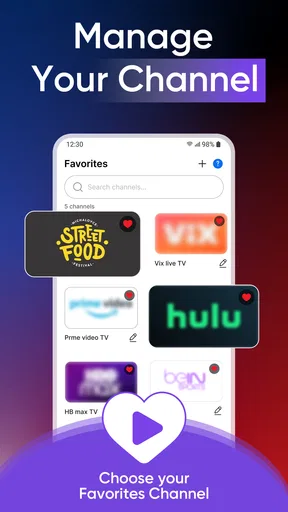
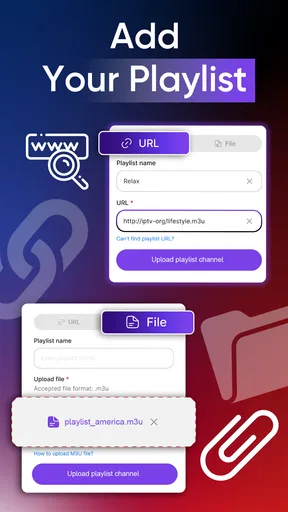
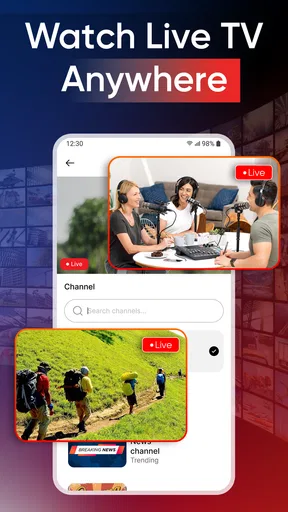
Live TV - TV Shows & Movies is the kind of viewing app that looks simple until you try to make your own sources work. I found its appeal in the combination of live channels, shows, and movies with the option to add an M3U playlist or a URL. That makes it more flexible than a traditional streaming app, but it also means the quality of your experience depends partly on the source you bring into it.
Developed by Imgori LLC, this free app sits in the video players and editors category and is aimed at people who want one place to organize live television rather than jump between separate services. It is available for users aged Everyone, runs on Android 7.0 or later, and the current release is version 2.0. I would not describe it as a replacement for every major streaming platform, but it can be useful for viewers who already have a legitimate playlist or URL and want a straightforward way to watch it.
Where the first viewing session can become confusing
The biggest point to understand is that Live TV - TV Shows & Movies is not automatically the same thing as a complete television package. The store summary highlights live channels, shows, movies, and the ability to add M3U and URL sources. In practice, that wording matters: the app is a player and organizer for compatible content, while the actual channels available to you depend on the source you add or select.
This is where a new user can reasonably expect more than the app itself provides. Installing it does not necessarily mean that every channel, movie, or show will immediately be available. If you open the app expecting a large built-in catalog, the first screen may feel less informative than a conventional subscription service. I recommend treating it as a viewing tool first, not as a universal content provider.
An M3U playlist is also not just a normal web page. It is a structured list that needs to be formatted correctly and contain usable stream entries. A URL can point to a playlist, a stream, or another supported source, but not every address that opens in a browser will behave properly inside a video player. This distinction explains many apparent setup failures.
The most useful mindset is to separate the app from the content source. If the app opens normally but a channel refuses to play, the problem may be the playlist, the individual stream, the network, or the source server. Keeping those possibilities separate saves a lot of unnecessary reinstalling.
The app’s rating is a 4.3 average from around 934 ratings, with roughly 9 written reviews, and it has passed 500 thousand installs. Those figures suggest that many people are finding a workable use for it, but they should not be read as a guarantee that every playlist will behave identically. IPTV-style sources vary widely in quality, organization, and reliability.
What to check before blaming the player
When a channel is missing, I would first check whether the source actually contains that channel. Open the playlist or source information in the place where you obtained it and look for the channel name there. If it is not listed at the source level, no player can display it. If it is listed but fails while other entries work, the issue is more likely tied to that specific stream.
It is also worth checking the exact address you entered. A small copying mistake, an extra space, or a truncated URL can make a valid source appear broken. Rather than typing a long address manually, I would copy it carefully and paste it once. If the app lets you edit the source, correcting the existing entry is usually more sensible than creating several duplicates.
For M3U files, avoid assuming that a file name alone is enough. The app needs access to the actual playlist location or content in a form it can read. If you are working with a URL, use the direct source address supplied by the legitimate provider instead of a landing page or a general website address. This is one of the most practical differences between a successful setup and a frustrating one.
Another useful check is whether the source is temporarily unavailable. If every channel fails at the same time, the source server or your connection deserves attention. If only one or two channels fail while the rest load, repeatedly changing app settings is unlikely to help. I would test a few unrelated entries before making any larger change.
A setup routine that avoids unnecessary repetition
My preferred setup approach is deliberately slow. I start by opening the app and confirming that the interface itself responds normally. Then I add one known, legitimate source rather than importing several playlists at once. Testing a single source gives you a clean reference point: if it works, you know the basic path is sound; if it fails, there are fewer variables to investigate.
After adding the source, I would test a small selection of entries instead of scrolling through everything. Choose one channel near the beginning, one farther down, and, if available, a different type of content. This can reveal whether the problem affects the entire playlist or only certain entries. It also prevents you from mistaking a slow first load for a completely unusable source.
Give the app a moment after adding a large playlist. A long list may take time to process, and immediately tapping repeatedly can create the impression that nothing happened. If the interface appears stuck, wait briefly, then leave and reopen the relevant screen once rather than submitting the same source over and over.
Because the app is free but includes optional in-app purchases priced from $2.99 to $14.99 per item, I would not purchase anything simply to solve a basic source problem. A paid option may be relevant to a particular convenience or upgrade, but it cannot repair an invalid playlist, an unavailable stream, or a weak connection. Test the core viewing path first and decide later whether an optional purchase is useful to you.
The same caution applies to expectations around content. If your goal is a polished on-demand catalog with recommendations, synchronized viewing history, and a controlled library, a conventional streaming service may be a better match. If your goal is to bring a compatible live-TV source into one player, the app’s design makes more sense.
How I recover a workflow when playback breaks
When playback stops, I use a simple isolation process. First, I try another entry from the same source. If that works, the original channel is probably the weak point. Next, I try a different source if I have one. If the second source works, the first source may be offline or poorly maintained. Finally, I check whether other apps or websites can use the same internet connection normally.
This process is more informative than clearing everything immediately. It tells you whether the failure follows the channel, the playlist, or the device connection. Once you know that, the next action is clearer: replace or update a bad source, wait for a temporary outage, or troubleshoot the network.
If a source was recently changed, remove confusion by keeping only the current version in your workflow. Duplicate playlists with similar names can make it difficult to know which one you are testing. I prefer descriptive names based on the provider or purpose, especially when I am comparing a general channel list with a smaller personal playlist.
When a stream buffers, I would avoid jumping straight to the conclusion that the app is inefficient. Live video can be affected by congestion between the source server and your device, even when other websites load quickly. Testing at another time and comparing several channels can reveal whether the issue is broad or limited to one stream. If the same channel repeatedly struggles while others remain stable, replacing that entry is more practical than repeatedly reinstalling the player.
It is also sensible to keep the troubleshooting sequence reversible. Change one thing, test again, and remember what changed. If you alter the source, network, and app state simultaneously, you lose the ability to identify what helped. This is especially important with playlist-based viewing because the app may be functioning correctly while the source changes behind the scenes.
When the app is not the cause
There are several situations where Live TV - TV Shows & Movies can look responsible even though the underlying issue is elsewhere. A provider may remove a channel, change a stream address, restrict access, or experience an outage. A playlist may still open as a list while individual streams inside it have become outdated. In each case, the player can display the source without being able to restore a broken stream.
Your internet connection can also behave differently for live video than for ordinary browsing. A page may load quickly while a continuous stream struggles. If playback repeatedly pauses, test another channel and, if possible, another network connection. You do not need to change several settings inside the app before making that basic comparison.
Device compatibility matters as well. The minimum operating system is Android 7.0, so older supported devices may have less comfortable performance than newer phones or tablets, particularly with large playlists or demanding video sources. I would keep the playlist focused rather than loading every possible channel onto a device that is already slow. A smaller, organized source is easier to navigate and easier to troubleshoot.
For people sharing a household connection, live viewing can compete with other activity. Someone downloading a large file, making a video call, or watching another stream may affect playback. Again, comparing different channels and times is more useful than assuming the application itself is at fault.
Privacy and legitimacy should be part of the decision too. I would only add sources that I am authorized to use and would avoid unknown playlists promising every premium channel for free. Apart from the legal concern, unreliable sources are more likely to disappear, redirect, or behave unpredictably. The app is most useful when paired with a trustworthy source that you understand.
Who will get the most from this app?
I can see Live TV - TV Shows & Movies working well for someone who already has a legitimate M3U playlist and wants a dedicated place to open it. It may also suit a viewer who watches live channels from several sources and prefers not to handle each one through a different browser page. The ability to add a URL makes it practical for people whose provider gives them a direct address rather than a downloadable file.
A realistic everyday scenario would be a user who watches a small set of news, local, or hobby channels and keeps them in one playlist. Instead of searching through a provider’s website each evening, that person can open the player, select the source, and test the channels they use most. The benefit is not a magical expansion of content; it is a more direct route to sources the user already has.
I would be more cautious about recommending it to someone who wants completely hands-off entertainment. If you do not want to manage URLs, understand playlist basics, or occasionally replace an unavailable source, a standard streaming service with a built-in catalog will probably feel easier. The flexibility here comes with responsibility, and that trade-off is central to the experience.
It is also not my first choice for someone whose main interest is polished on-demand discovery. A conventional service is usually better for browsing curated movies, continuing a series across devices, or relying on a consistent catalog. This app’s strength is source-based live viewing, not replacing every part of a modern streaming ecosystem.
How it compares with ordinary streaming alternatives
Compared with a typical subscription platform, this app gives you more control over where the content comes from. You are not limited to one company’s catalog structure, and M3U or URL support can be valuable when your viewing source does not have a dedicated application. That openness is the main reason to choose it.
The cost structure is also different. The app itself is free, while optional purchases range from $2.99 to $14.99 per item. That does not make the entire viewing experience automatically free, because your source may have its own conditions. Still, the player can be a lower-commitment starting point for someone who already has suitable access and does not want to install a separate app for every source.
In exchange, you give up some of the predictability people expect from mainstream services. A normal streaming platform controls its catalog, playback environment, and account experience more tightly. Here, the source determines much of what appears and whether it remains available. I prefer this app for flexibility and source consolidation; I prefer conventional services for dependable discovery and a managed library.
Compared with a basic media player, it is more focused on live channel organization through M3U and URL input. Compared with a full IPTV management platform, it may feel more approachable for a casual user who only needs straightforward playback. The right choice depends on whether you value simple access or advanced control over sorting, recording, multi-device behavior, and provider-specific features.
Small habits that make the experience easier
Keep a short note of the sources you add and the date you last confirmed them. This is not a feature claim about the app; it is a practical habit that makes broken links easier to recognize. If a source stops working, you can tell whether it is a recent change or an older entry that has been unreliable for some time.
Use meaningful source names rather than leaving several entries indistinguishable. If you maintain one playlist for general channels and another for a specific interest, clear labels reduce accidental testing of the wrong source. This becomes particularly helpful after returning to the app following a few days away.
For a large playlist, focus on the channels you actually watch. A smaller list is faster to inspect and makes failures easier to diagnose. Keeping everything may sound convenient, but unused entries create noise and make it harder to notice when an important channel has disappeared.
Finally, test a source before planning an important viewing session around it. Live events and scheduled programs leave little room for troubleshooting. A quick check of several entries earlier in the day can tell you whether the source is currently healthy and whether your device and connection are ready.
My practical verdict
After looking at the app as a real viewing tool rather than just a store download, I see a clear but specific purpose. Live TV - TV Shows & Movies is a sensible option for people who want to bring compatible live-TV sources into one Android player. Its free entry point, support for M3U and URLs, and broad Everyone age rating make it approachable, while the 7.0 minimum system requirement keeps it available to many older devices.
Its limitations are equally clear. The app cannot guarantee that every source will work, and setup may require more patience than a conventional streaming service. When a channel fails, you need to distinguish between a bad entry, an unavailable provider, a network problem, and an actual app issue. That is manageable once you understand the workflow, but it may frustrate anyone expecting instant access to a complete catalog.
My recommendation is straightforward: choose it if you already have legitimate sources and want a simple place to test and watch them. Skip it if you want a fully curated movie and television subscription with no playlist management. For the right user, its real advantage is flexibility without forcing every source into a separate viewing routine. For everyone else, the usual managed streaming alternative will likely be smoother.
With its current version, 2.0, and a respectable 4.3 average from its user base, it is worth trying at no upfront cost. I would begin with one reliable source, test several entries, and avoid paying for optional items until the basic viewing workflow works for you. That approach gives you the fairest answer about whether this particular player belongs in your daily viewing setup.
Verdict
Strengths of Live TV - TV Shows & Movies
- Wide selection of live channels, TV shows, and movies in one app.
- Simple interface makes browsing content quick and convenient.
- Supports on-demand viewing for users who miss live broadcasts.
- Search and category filters help find specific programs faster.
- Useful entertainment option for watching content while traveling.
Limitations of Live TV - TV Shows & Movies
- Channel availability may vary depending on your country or region.
- Some content may require a premium subscription to access.
- Video quality can depend heavily on your internet connection.
- Advertisements may interrupt viewing, especially on the free plan.
- The app may use significant mobile data during extended streaming sessions.
Other Releases by Imgori LLC
View All
Baby Tracker: Pregnancy App
Parenting0.0
Similar Picks in This Category
View All
Google TV
Google LLC3.9

iTunes
Apple4.7

YouTube
Google LLC3.8

MX Player
Amazon Mobile LLC4.2

CapCut - Video Editor
Bytedance Pte. Ltd.3.5

PLAYit-All in One Video Player
PLAYIT TECHNOLOGY PTE. LTD.4.5
Frequently Asked Questions
What is Live TV - TV Shows & Movies, and what can I watch with it?
Live TV - TV Shows & Movies is an entertainment app designed to bring live television channels, TV shows, and movie content together in one place. Depending on your location and the available catalog, you may find news, sports, entertainment, documentaries, series, and films. Channel availability can change, so it is worth checking the current listings before downloading.
Is Live TV - TV Shows & Movies free to download and use?
The app may be free to download, but some content or features can require a subscription, one-time payment, advertising-supported access, or an in-app purchase. Pricing and restrictions may vary by country, platform, and content provider. Before subscribing, review the payment screen carefully and check whether a free trial automatically converts into a recurring subscription.
Does the app require an internet connection to watch live channels and movies?
Yes, streaming live television, shows, and movies normally requires a stable internet connection through Wi-Fi or mobile data. Video quality may adjust automatically depending on your connection speed, and mobile streaming can use a significant amount of data. If you plan to watch away from Wi-Fi, check your data allowance and look for any offline-viewing option offered by the app.
Can I use Live TV - TV Shows & Movies on Android and iPhone?
The app may be available for Android and iOS, but compatibility depends on the specific device, operating system version, and regional availability. Check the official Google Play Store or Apple App Store listing before installing to confirm supported devices. Some features, channels, or subscription options may also differ between Android and iPhone versions.
Are all channels, shows, and movies available in every country?
No. Streaming rights and broadcasting licenses often vary by country, which means the catalog, live channels, sports coverage, and movie selection may be different depending on where you live. Some content can also be restricted temporarily or removed when licensing agreements expire. Review the in-app channel guide and regional details before relying on the service for specific programming.
